
Welcome to Remote Retro
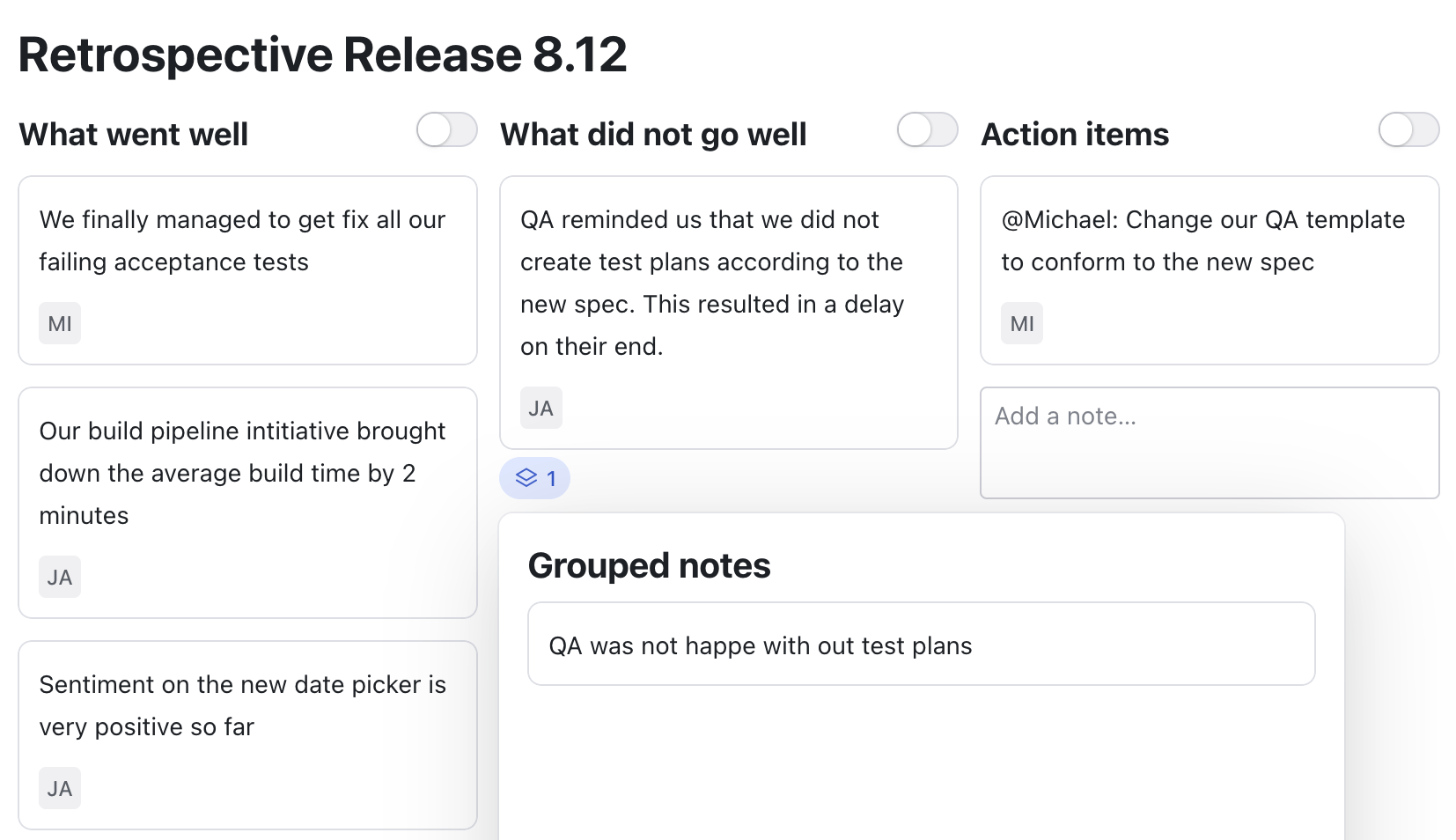
Remote Retro helps you to run your team retrospectives remotely and asynchronously!
Create your first retrospective!
How does it work?
How do retrospective meetings work?
Retrospective meetings can differ from team to team. Typically participants write down notes on how their last "iteration" went, then they group similar notes and vote on which topics to talk about more. Grouping and voting can also happen in the inverse order.Remote Retro works well for synchronous and asynchronous retrospective meetings. Participants can create and group notes in advance of the meeting to keep the meeting as focused as possible.How can I group notes?
Enabled grouping mode with the toggle on top of the column. Then you can group notes by dragging one note onto another one. In case both notes already contained votes, they are all counting towards the group note.It looks like I cannot vote
Make sure that voting is enabled for the board in the settings menu.Do I need to create an account?
Nope, neither the person creating a retro board, nor the participants need to create accounts. The authorization tokens are stored on each user's device. The invite link contains the access token, so keep those links private to your team.Who has access to the retro board?
Everybody you share the invite link with! Make sure to not share that link with people you don't want to see the board.Can I export the retro board?
Yes, you can export the retro board as a Markdown file from the preferences menu.Can I delete the retro board?
Yes, every participant can delete the retro board from the settings menu.